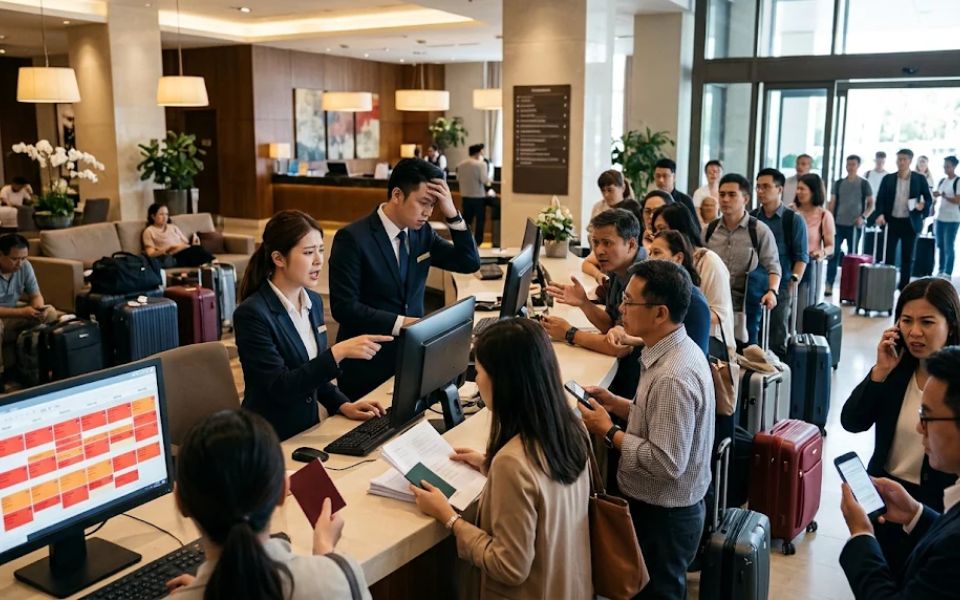
Hotel overbooking occurs when the number of reservations exceeds the number of rooms available for a specific stay date. This situation can happen when multiple booking channels accept reservations for the same room, or when a hotel anticipates cancellations and guests who fail to arrive (no-shows).
In the hospitality industry, overbooking is sometimes used as a strategy to anticipate cancellations and maximize occupancy rates. However, without proper inventory and reservation management, this strategy can lead to operational problems, financial losses, and a decline in guest trust.
So, what causes hotel overbooking, what are the risks, and how can hotels prevent it? Here is what you need to know.
What Is Hotel Overbooking?
Hotel overbooking occurs when the total number of confirmed reservations exceeds the available room capacity for a particular date. For example, a hotel has 30 available rooms but receives 32 reservations for the same room type and stay date.
If all guests arrive, the hotel will not have enough rooms to accommodate everyone. As a result, some guests may need to be relocated to another hotel or offered alternative accommodation.
Overbooking can happen intentionally or unintentionally. Intentional overbooking is usually based on predictions of cancellations and no-shows, while unintentional overbooking is often caused by system errors, delayed inventory updates, or poor coordination between booking channels.
Causes of Hotel Overbooking
Several factors can cause hotels to accept more reservations than their actual room capacity.
1. Poor Inventory Synchronization Across Booking Channels
Hotels typically sell rooms through multiple channels, including their official websites, Online Travel Agents (OTAs), and travel agencies. Each channel must display room availability that matches the hotel's actual inventory.
If a room has already been booked through an OTA but its availability has not been updated across other channels, another guest may still be able to book the same room. This risk becomes greater when hotels manage multiple channels manually.
2. Manual Reservation Management Errors
Hotels that update room availability through spreadsheets or disconnected systems are more vulnerable to recording errors.
For example, a staff member may receive a reservation over the phone but forget to reduce the available room count on online booking channels. This data inconsistency can result in duplicate bookings.
3. Delayed Room Availability Updates
During periods of high demand, multiple reservations may come in almost simultaneously. If the system does not update inventory quickly enough, two or more reservations may be confirmed for the same room.
This situation requires particular attention during high season, public holidays, or promotional campaigns that generate high booking volumes.
4. Inaccurate Cancellation and No-Show Predictions
Some hotels intentionally accept reservations beyond their physical capacity because they expect certain guests to cancel or fail to arrive.
This strategy can help maximize occupancy, but its effectiveness depends on the accuracy of historical data, cancellation patterns, and the characteristics of each booking channel. If more guests arrive than expected, the hotel risks experiencing overbooking.
5. Room Type Configuration Errors
Overbooking does not always affect the entire property. Problems can occur with specific room types when inventory is not managed correctly.
For example, a hotel may still have Deluxe Rooms available, while all Family Rooms are fully booked. A Deluxe Room may not be a suitable replacement for a Family Room due to differences in capacity, facilities, or guest requirements.
Risks of Hotel Overbooking
Overbooking is not just a problem that occurs during check-in. Its impact can affect guest experience, operating costs, and the hotel's long-term reputation.
1. Lower Guest Satisfaction and Trust
Guests who have received a confirmed reservation naturally expect their room to be available upon arrival. If the hotel cannot fulfill that reservation, their stay may begin with disappointment.
This situation can lead to complaints, negative reviews, and a lower likelihood of repeat bookings.
2. Increased Operational Costs
When a room is unavailable, the hotel may need to relocate the guest to another property. Additional costs may include room rate differences, transportation, staff assistance, and compensation according to hotel policies.
These expenses can reduce the profits originally expected from the overbooking strategy.
3. Negative Impact on Reputation and OTA Performance
Guest complaints resulting from unfulfilled reservations can affect a hotel's reputation on booking platforms. In certain circumstances, hotels may also face consequences under the terms and conditions of their distribution partners.
Therefore, hotels need to understand each OTA's policies regarding reservations they cannot accommodate, including relocation and compensation procedures.
4. Disrupted Hotel Operations
The front office team must handle complaints and find alternative accommodation, while the reservation team needs to investigate the source of the problem. At the same time, staff may still need to assist other guests during check-in.
As a result, time and resources that should be dedicated to improving service quality are instead spent resolving reservation issues.
How to Prevent Hotel Overbooking
Preventing overbooking requires a combination of the right technology, clear operational procedures, and regular reservation monitoring.
1. Use a Channel Manager to Synchronize Inventory
A channel manager helps hotels manage room availability, rates, and inventory across multiple distribution channels through a centralized system.
When a reservation comes in through a connected channel, the system can update room availability across other channels. This helps reduce the risk of selling the same room multiple times.
However, hotels still need to ensure that integrations work properly, monitor connection status, and address any failed updates.
2. Integrate the Reservation System with a PMS
A Property Management System (PMS) helps hotel teams manage reservations, room status, check-ins, check-outs, and guest information.
Integrating the PMS with a channel manager and booking engine can help synchronize inventory data. Before choosing a system, make sure the required integrations are available and suitable for the hotel's operational workflow.
3. Update Inventory and Close Sales When Necessary
Hotels need to monitor room availability regularly, especially during periods of high demand. When only a few rooms remain, the reservation team must ensure that all channels display accurate availability.
If inventory cannot be verified or synchronization issues occur, consider temporarily stopping sales on the affected channels until the data is accurate again.
4. Establish Clear Reservation and Cancellation Policies
Cancellation, payment, and no-show policies should be communicated transparently to guests. Hotels should also track cancellation patterns based on stay dates, room types, and booking channels.
This data can help hotels forecast demand more accurately. If a hotel intentionally applies an overbooking strategy, it should set conservative limits, use relevant historical data, and prepare procedures for situations where all guests arrive.
5. Conduct Regular Reservation Reconciliation
The reservation team should regularly compare data from the PMS, channel manager, booking engine, and OTAs. These checks help identify inventory discrepancies, duplicate reservations, or bookings that have not been recorded correctly.
In addition to routine checks, conduct extra inspections before high season, major promotions, and dates with high booking demand.
6. Prepare an Overbooking Management Procedure
Even when systems are properly optimized, hotels should still have an emergency plan.
This procedure may include assigning staff members with decision-making authority, preparing a list of alternative hotels, establishing guest communication protocols, and defining compensation and relocation policies.
If an issue occurs, immediately check the reservation status and communicate the availab